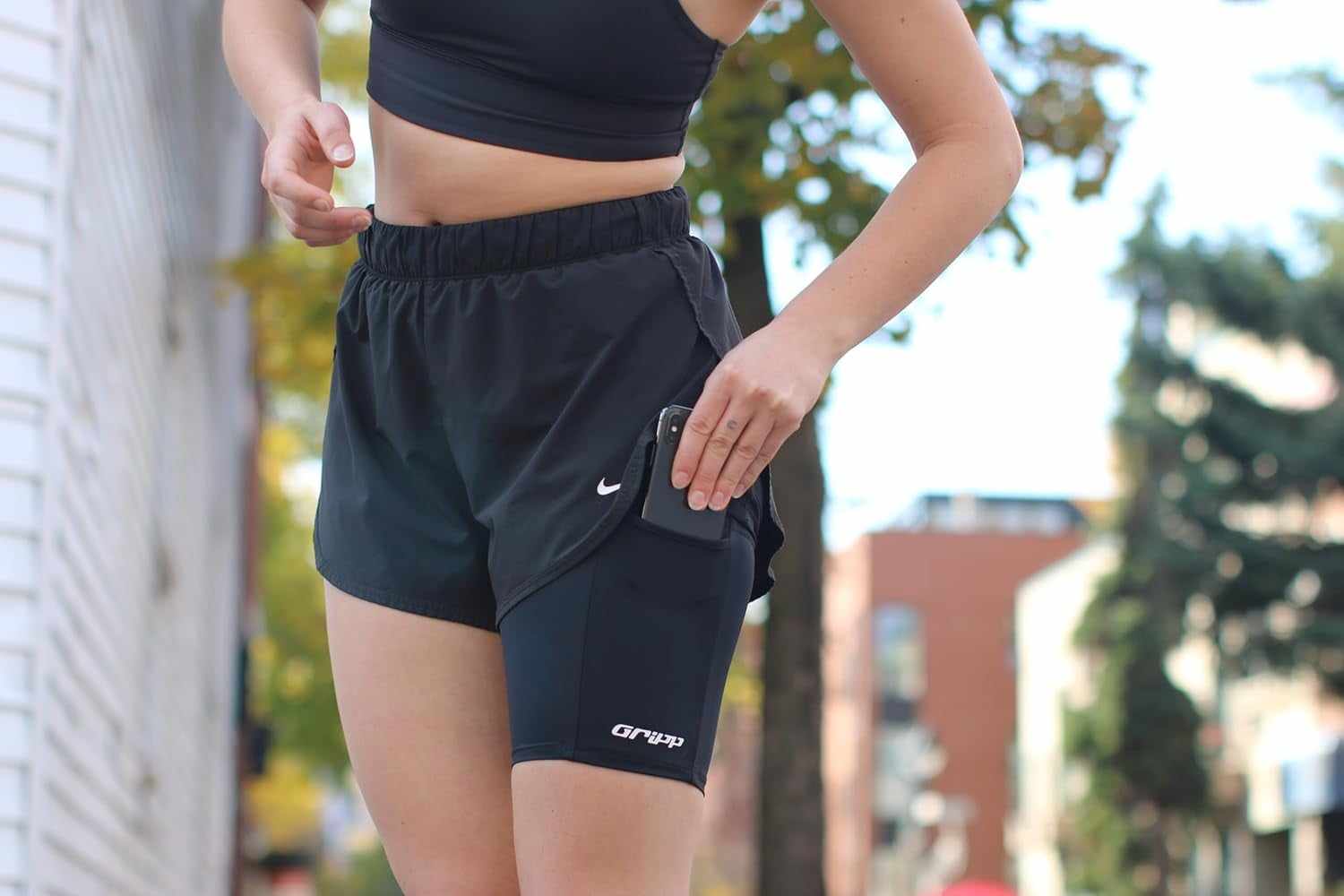
Quick answer: To keep your phone from bouncing while running, make the phone and its pocket or holder move as one unit. Keep the phone flat and close to your body, remove extra items that make the setup swing, position the holder where it is supported, and tighten it only until snug. Then jog for two minutes. If the setup still moves separately or needs constant adjustment, switch carry position instead of tightening harder.
Start with the gear you already own. A loose shorts pocket, overloaded belt, low armband or poorly fitted thigh holder can all create the same annoying result: the phone shifts on every step.
Start with the symptom
| What moves | Try first | When to switch |
|---|---|---|
| Phone in a loose shorts pocket | Use a snug zip or compression pocket and keep the phone flat | Switch if the pocket pulls the shorts or lets the phone swing |
| Running belt | Reduce the load, place the phone flat and adjust the belt to a snug fit | Switch if the belt still rides up or bounces after a short test |
| Armband | Move it higher on the upper arm and check the phone and case fit | Switch if it needs uncomfortable tightness to stay in place |
| Thigh holder | Wear it at the intended height and confirm body sizing and pocket fit | Switch if it slides, rotates or interferes with clothing |
| Phone in your hand | Try a secure hands-free pocket or holder | Switch if grip or constant handling becomes distracting |
Fix the setup you have before buying another one
- Remove everything except the phone. Keys, cards and gels can make a pouch move differently and change the fit.
- Put the phone flat. Check that the case does not prevent the pocket or closure from working as intended.
- Move the holder higher or closer. A low strap or loose pocket usually has more room to shift.
- Adjust to snug, not painful. If stability requires uncomfortable pressure, the fit or carry position is wrong.
- Jog for two minutes. Include a few turns and higher steps. Adjust once, then see whether the setup stays put.
If your phone bounces in a pocket
A pocket works when the phone fits fully, stays flat and does not pull the clothing around. Deep is not enough by itself. The fabric and opening also need to keep the phone from moving.
If your shorts have no secure pocket, compare the options in where to put your phone when running shorts have no pockets. If you use tights, see the guide to running with a phone in a leggings pocket.
If your running belt bounces
Start by carrying less. Place the phone flat, center the load and adjust the belt before adding keys, cards or food. A belt can still be the right choice when you need storage, but extra capacity does not help if the full load moves separately from your body.
For a belt-specific diagnosis, read why a running belt bounces with a phone.
If your armband slips or rotates
Place it high enough on the upper arm to avoid the elbow area, then test it with your real phone and case. Tightening can help only within a comfortable fit. If the armband keeps rotating or sliding unless it feels uncomfortable, another carry position is the cleaner answer.
If you want the phone off your waist and arm
A thigh holder can make sense for a phone-only run. THIGHBAND is intended to sit high on bare skin under loose shorts. Check both the phone pocket fit and body sizing before choosing it. It is not the automatic answer when you also need room for water, food, keys or extra layers.
If you are still choosing between categories, use the belt versus armband versus pocket versus thigh-holder guide.
A two-minute no-bounce test
- Load the exact phone and case you run with.
- Add only the other items you truly need.
- Walk, jog, turn and take a few higher steps.
- Check whether the phone stays flat and whether the holder shifts.
- Adjust once. If it still moves, change the carry position rather than forcing the same setup.
Frequently asked questions
Why does my phone bounce when I run?
The phone usually has room to move inside the pocket or holder, or the full setup moves separately from your body. Extra items, a loose fit, low placement and a phone case that interferes with the closure can all contribute.
How tight should a running phone holder be?
It should feel snug enough to move with you, but not painful, restrictive or distracting. If the holder only stays put when it feels uncomfortable, change the fit or carry position.
How do I stop my phone from bouncing in my shorts pocket?
Use a pocket that holds the whole phone flat and close to the body. A snug zip pocket or compression pocket is a better starting point than a loose open pocket. Test it with your real phone and case.
Is a running belt or thigh holder better for phone bounce?
A belt is usually more useful when you need extra storage. A thigh holder can suit a phone-only run when the pocket and body sizing fit. Neither option fixes a poor fit, so test the full setup before a longer run.
What should I do if my phone still bounces after adjusting?
Switch carry position. Move from a loose pocket to a secure pocket or holder, reduce an overloaded belt, or replace an armband that needs uncomfortable tightness. The goal is a setup that stays put without constant adjustment.