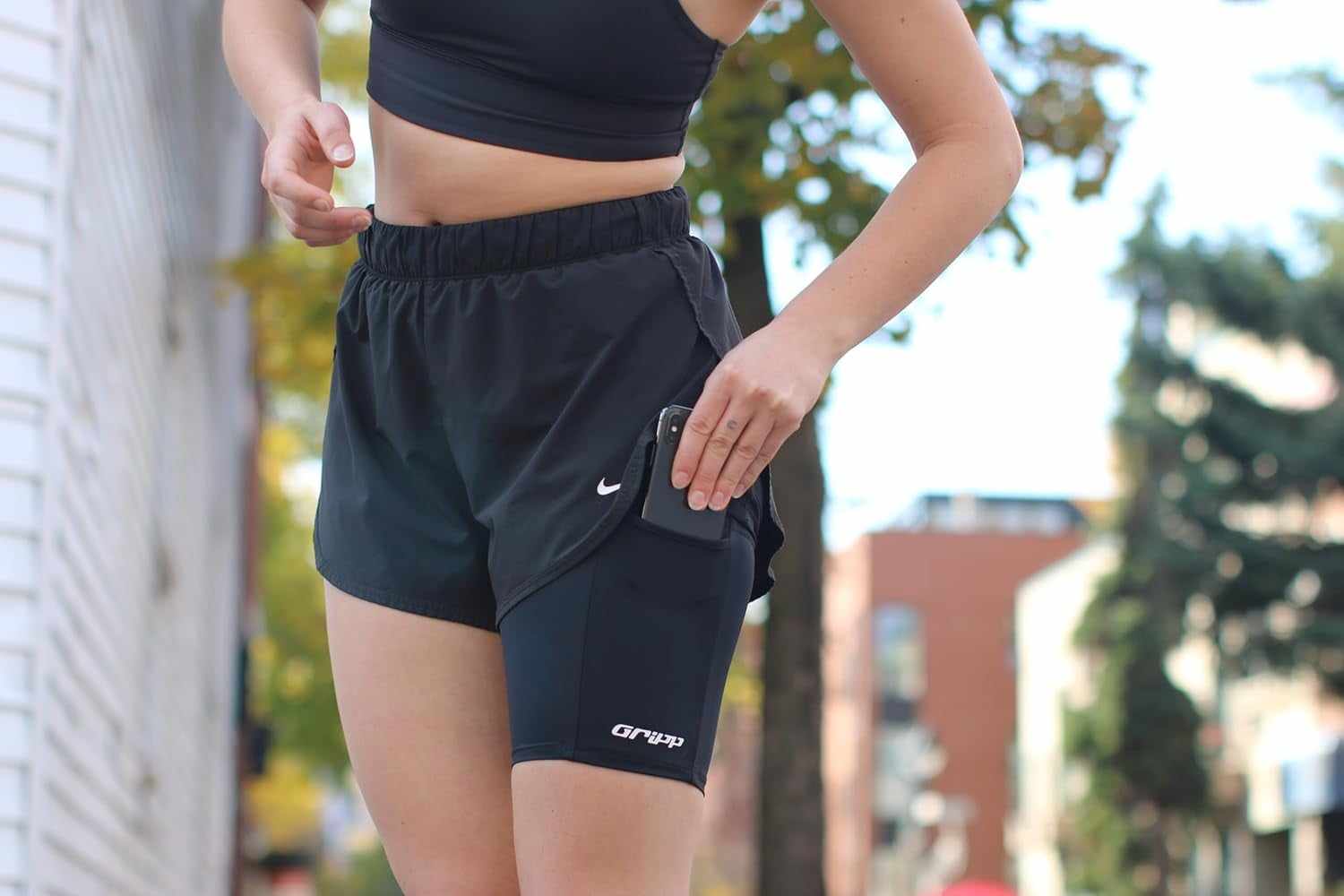
If your phone loses battery quickly or shuts down during a cold run, reduce its exposure to cold air and keep it within the operating range listed by its manufacturer. Start with a charged phone, carry it in a stable location under an outer layer when practical, limit unnecessary screen time, and check the battery before a long or remote route. Cold-related battery loss can be temporary. For iPhone and iPad, Apple says very cold conditions outside the operating range can temporarily shorten battery life and may cause the device to turn off.
The right carry setup depends on your clothing and how often you need the phone. An inside jacket pocket may keep it more sheltered. A belt under an outer layer can work when you carry more gear. A thigh holder can keep a phone hands-free and close to the body in a compatible bare-skin setup, but it is not insulation.
Why can a phone lose battery or shut down in the cold?
Phones have manufacturer-defined operating temperatures. Outside that range, the device may change how it behaves. Apple lists an ambient operating range of 0 to 35 C for iPhone and iPad. Its support guidance says very cold conditions can temporarily shorten battery life, affect performance, stop charging or cause a shutdown. Apple also says battery life returns to normal when the device returns to a higher ambient temperature.
That does not mean every phone follows the same limits. Check the support page for your exact model before a cold-weather run. You can read Apple's current temperature guidance as one manufacturer example.
A practical cold-run phone checklist
1. Charge before you leave
Do not start a long winter run with a nearly empty battery and hope optimism counts as power management. Check the charge, especially if you need GPS, music, maps or contact access.
2. Reduce direct exposure
A phone on the outside of a jacket, in an open mesh pocket or in your hand is exposed directly to cold air. A closed inside pocket or a holder beneath a compatible outer layer may reduce that exposure. The goal is not to heat the phone. It is to avoid leaving it fully exposed when another secure location works.
3. Keep the screen off when you do not need it
Set up your route, playlist and tracking app before the run. Use audio cues or watch controls if your current devices support them. This reduces how often you pull the phone into the cold and makes the setup easier to use with gloves.
4. Test the setup on a short route
Try the clothing and carry combination close to home before relying on it for a long run. Check whether the phone stays secure, whether you can reach it with gloves, and whether the battery reading changes faster than expected.
5. Keep a backup plan for important access
If your route depends on a phone for directions or contact, choose a route and carry setup that match the conditions and your device. A phone is useful, but one cold-weather test is more informative than assuming last summer's setup will behave the same way.
Which carry option makes sense in winter?
- Inside jacket pocket: a strong default when the pocket closes securely and does not let the phone swing.
- Running belt under an outer layer: useful when you also carry keys, gels or other small items. Check for bounce and rubbing.
- Thigh holder: useful for a phone-only load when it can be worn on bare skin as designed and covered by compatible loose layers. It is not designed to grip over leggings.
- Vest: practical when the phone is part of a larger load with water, food or extra clothing.
- Hand carry: easy to access, but it leaves the phone directly exposed and keeps one hand occupied.
If you are still choosing between formats, use our phone-holder comparison guide to match the holder to the total load and clothing.
Where THIGHBAND fits, and where it does not
800M THIGHBAND is designed to hold a phone high on the thigh with the silicone band gripping bare skin. In winter, it can be a hands-free option when your clothing lets you wear it as designed beneath loose outer layers.
THIGHBAND does not insulate or warm the phone, and it is not designed to grip over leggings. If tights are your base layer, or if you need to carry several items, a secure inside pocket, belt or vest may be the more practical choice. Pick the setup that fits the clothing and load, not the setup with the most enthusiastic product copy.
What should you do if the phone shuts down?
Move the phone out of direct cold exposure and follow the temperature guidance for your model. Do not rely on repeated restart attempts as your winter plan. Apple states that cold-related battery effects can be temporary and that battery life returns to normal at higher ambient temperatures. If the device continues to shut down after it returns to its normal range, use the manufacturer's support path.
Frequently asked questions
Can cold weather make a phone battery drain faster?
Yes, for some devices. Apple says very cold conditions outside the operating range can temporarily shorten iPhone and iPad battery life. Check the specifications for your exact phone because temperature limits vary by manufacturer and model.
Should I carry my phone inside my jacket while running?
An inside pocket is often practical if it closes securely and keeps the phone from swinging. Test access with gloves and make sure moisture does not collect around the device.
Will a running phone holder keep my phone warm?
No holder should be assumed to provide insulation unless its manufacturer explicitly says so. A holder may place the phone beneath a clothing layer, but that is different from temperature protection.
Can I wear THIGHBAND over winter leggings?
No. THIGHBAND's silicone band is designed to grip bare skin and is not designed to hold over leggings. Use it only in a clothing setup that allows the product to be worn as designed.
What is the best winter phone holder for a long run?
Match the holder to the load. A secure inside pocket can suit a phone-only run. A belt or vest may be better when you also carry water, fuel, keys or layers. Test the full setup on a short route first.